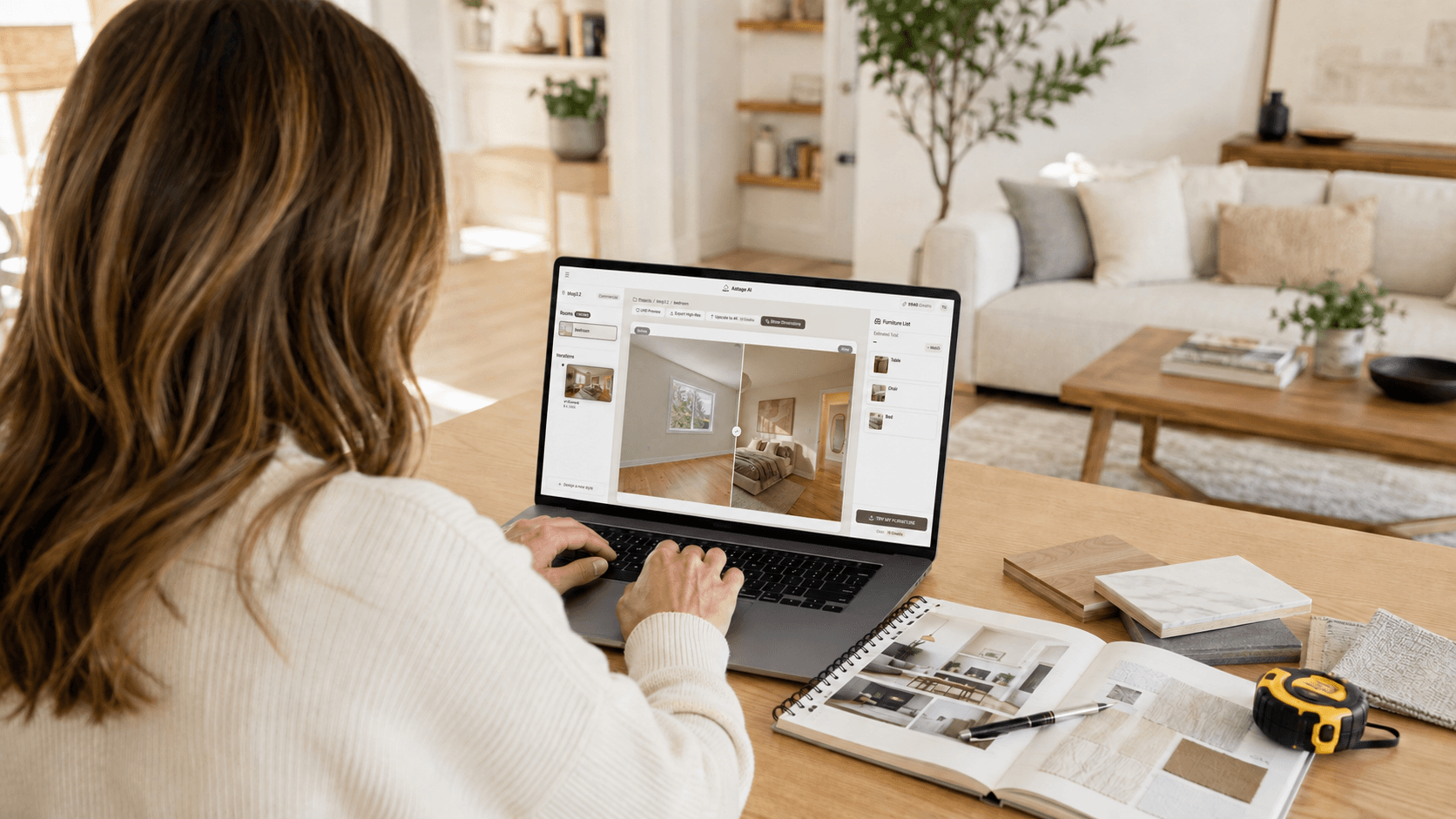

To redesign a room from a photo with AI, start with a clear, well-lit image of the space, choose the room type and design direction, and generate several concepts before deciding what to change in real life. A good AI room redesign should help you explore furniture layouts, colors, materials, lighting, and decorating styles without hiding the original room’s permanent features.
The goal is not to produce a perfect construction plan. It is to see possibilities quickly, compare ideas, and make more confident design decisions before spending money on furniture or renovation work.
Here is a practical way to get useful results from an AI room designer such as Astage AI.
What Can AI Room Design From a Photo Actually Do?
AI interior design from a photo works by using the visible structure of a room as the starting point for a new design concept. Depending on the image and the tool, it can suggest changes to:
- Furniture style and placement
- Color palettes
- Rugs, curtains and artwork
- Decorative lighting
- Room atmosphere
- Storage ideas
- Materials and finishes
- The overall interior style
This is particularly useful when you know that a room does not feel right but cannot picture what would improve it. Instead of trying to imagine a dozen combinations, you can see several possible directions on the original photograph.
However, an AI-generated image is still a visual concept. It may not understand the exact dimensions of the room, whether a particular piece of furniture is available, or whether a proposed renovation is structurally possible. Treat the result as a design reference, not a technical drawing.
Step 1: Decide What You Want to Change
Before uploading a photo, define the decision you are trying to make.
“Make this room look better” is too broad. A more useful goal might be:
- Make the living room feel warmer without replacing the flooring
- Find a furniture layout that keeps the window unobstructed
- Turn an empty bedroom into a calm guest room
- Explore a modern style without making the room feel cold
- Add storage to a small room
- See whether lighter or darker furniture suits the space
- Refresh a rental without changing permanent fixtures
A clear goal makes it easier to judge the result. It also prevents you from choosing an attractive image that does not solve the original problem.
If you are redesigning more than one room, work through them separately. A living room, bedroom and home office usually have different priorities, even when they share the same visual style.
Step 2: Take a Good Photo of the Room
The quality of the input photo has a major effect on the usefulness of the redesign.
Take the photo from a natural viewing position, usually from a corner or doorway. Hold the camera level and include as much of the room as possible without using an extreme wide-angle effect.
For a better result:
- Use natural daylight when possible
- Turn on enough interior lighting to avoid dark areas
- Keep walls, windows and doors clearly visible
- Avoid standing too close to furniture
- Remove temporary clutter
- Do not heavily crop the image
- Use a sharp, high-resolution photo
- Avoid filters that change the true colors of the room
You do not need to empty the room completely. If you want to keep certain items, leave them visible. If you want to explore a full redesign, removing smaller decorative objects can give the AI a cleaner starting point.
Take two or three photos if the room has an unusual layout. Even if the tool processes one image at a time, the additional angles will help you check whether the proposed design makes sense throughout the space.

Step 3: Protect the Features That Must Stay
Before generating a redesign, make a short list of the fixed features that should not be changed.
These may include:
- Windows and doors
- Flooring
- Built-in cabinets
- Fireplaces
- Ceiling height
- Structural columns
- Radiators and vents
- Electrical outlets
- Permanent lighting connections
This step matters because an AI room redesign may create a visually appealing image while subtly moving a window, widening a doorway or changing the shape of a wall.
Compare every generated concept with the original photo. If an important architectural feature has changed, use the image for general style inspiration only, or generate another version.
For a decorating project, focus on changes that can realistically be made with furniture, textiles, paint, lighting and accessories. For a renovation project, ask a qualified professional to assess any structural or technical changes.
Step 4: Choose a Design Direction
It is tempting to try every available style, but that usually creates more confusion.
Begin with two or three directions that fit the room and the way you live. For example:
- Warm minimal
- Scandinavian
- Contemporary
- Mid-century modern
- Japandi
- Modern farmhouse
- Traditional
- Coastal
Style names can mean different things across different tools, so look at the actual result rather than judging it by the label.
Think about practical needs as well as appearance. A beautiful white living room may not suit a household with young children or pets. A low-profile sofa may look elegant but provide the wrong level of comfort. An open layout may need additional storage that the generated image does not show.
The most useful design is not necessarily the most dramatic one. It is the one you could realistically live with.
Step 5: Generate More Than One Version
Do not make a decision from the first result.
Generate several versions within the same design direction. Small changes in furniture scale, placement, lighting and color can have a large effect on how the room feels.
A practical approach is to create:
- One conservative version that keeps the room close to its current appearance
- One balanced version with a noticeable but realistic update
- One more expressive version that tests a different layout or stronger visual style
You are not looking for one image to copy exactly. You are looking for useful ideas across several images.
You might prefer the sofa placement from one concept, the color palette from another and the lighting from a third. Combining those decisions is often more practical than treating a single AI-generated room as a complete specification.
Step 6: Review the Result Like a Real Room
An AI-generated concept can look convincing at first glance. Slow down and inspect it carefully.
Check the architecture
Are the windows, doors and walls still in the correct locations? Has the ceiling height changed? Did the tool remove a vent, outlet or built-in feature?
Check the furniture scale
Would the sofa fit without blocking the walkway? Is there enough space to open a door? Does the dining table allow chairs to move comfortably?
Check the layout
Consider how people enter, move through and use the room. A composition can look balanced in a photograph while being inconvenient in daily life.
Check the lighting
AI images sometimes add attractive lighting without showing where it would come from. Consider whether the room has the necessary outlets, ceiling connections or natural light.
Check the details
Look for distorted furniture, repeated objects, inconsistent shadows, unrealistic reflections or accessories that merge into the background.
These issues do not make the concept useless. They simply show which parts should not be treated literally.
A Practical Astage AI Room Redesign Example
Astage AI can help you explore how an existing room might look with a new furniture arrangement and decorating style. The original image remains the reference point, while the generated version provides a visual direction for the redesign.
When reviewing an Astage concept, pay attention to the decisions behind the image:
- The approximate size and position of the main furniture
- The relationship between the rug, sofa and coffee table
- The balance of warm and cool colors
- The amount of visual space left around doors and windows
- The use of curtains, plants, artwork and lighting
- Whether the concept still feels practical for the household
The value is not only in seeing a finished-looking room. It is in identifying which individual choices make the space feel more complete.

Step 7: Turn the Image Into a Real Design Plan
Once you have selected a direction, separate the design into individual decisions.
Create a simple checklist:
- Main furniture pieces
- Approximate dimensions
- Color palette
- Rug size
- Curtains or window treatments
- Lighting
- Artwork
- Plants and accessories
- Items to keep
- Items to replace
- Estimated budget
Measure the room before purchasing anything. Pay particular attention to doors, walkways, windows, electrical outlets and the distance between furniture pieces.
If Astage or another AI room design tool suggests matching or similar products, verify the product dimensions, materials, color, stock and delivery information on the retailer’s website. A product photograph may look close to the generated item without having the same proportions.
You can also create a simple mood board using the generated concept, material samples and product images. This helps translate the visual idea into a plan that can actually be purchased and installed.
How Homeowners and Renters Should Use AI Room Redesign Differently
Homeowners can use AI interior design from a photo to explore both decorating changes and possible renovations. They may consider new flooring, built-in storage, permanent lighting or other long-term improvements.
Renters should usually concentrate on reversible changes, such as:
- Freestanding furniture
- Rugs
- Curtains
- Removable wallpaper
- Floor and table lamps
- Artwork
- Plants
- Decorative storage
- Replacement hardware approved by the landlord
If the AI changes walls, flooring or built-in features, renters can still use the image for its color palette and furniture ideas without attempting the permanent changes.
In both cases, the room should support real routines. A redesign should make the space easier to use, not simply more impressive in a photograph.
Common AI Room Redesign Mistakes
Copying the generated image exactly
AI concepts are references, not shopping lists or measured plans. Use the image to understand the overall direction, then adapt it to the room.
Ignoring dimensions
Furniture that looks correctly proportioned in an image may be too large or too small in reality. Measure before buying.
Trying too many styles
Generating dozens of unrelated designs can make the decision harder. Start with a limited set of realistic directions.
Choosing appearance over function
A beautiful room still needs comfortable seating, practical storage, clear walkways and appropriate lighting.
Allowing permanent features to change
If a generated image moves windows, doors or structural elements, it no longer represents a simple decorating plan.
Hiding the use of AI
If an image is shared publicly, used in a property listing or presented as part of a professional project, clearly identify it as an AI-generated concept when appropriate. Do not present a virtual redesign as a photograph of completed work.
When Astage AI Is a Good Fit
Astage AI is useful when you want to:
- Visualize a room before purchasing furniture
- Compare interior styles using an existing photograph
- Explore how an empty or unfinished space could look
- Test decorating ideas without physically moving furniture
- Create an initial concept for discussion with family members or a designer
- See how a room might feel with a more complete furniture arrangement
It is especially helpful during the early decision-making stage, when the main question is, “What direction should this room take?”
When You Still Need a Professional
An AI room designer should not replace an architect, engineer, contractor or qualified interior designer when the project involves:
- Structural changes
- Electrical or plumbing work
- Building permits
- Custom cabinetry
- Complex space planning
- Accessibility requirements
- Detailed construction documents
- Safety or code compliance
In these situations, an AI-generated room can still help communicate the desired look. The technical solution should come from someone who can inspect and measure the actual space.
Frequently Asked Questions
Can I upload a photo of my room and redesign it with AI?
Yes. You can upload a clear photograph to an AI room designer and generate concepts for furniture, color, lighting and decor. The quality of the result depends partly on the clarity and angle of the original image.
Can AI decorate my room without changing the walls?
It can help generate decorating concepts that focus on furniture and accessories, but you should compare the output with the original photograph. Regenerate the image if permanent architectural features have changed.
Can AI interior design from a photo provide exact furniture measurements?
Not reliably. AI-generated images are visual concepts and should not be used as measured floor plans. Measure the room and check product dimensions separately.
Can I use AI room design for a rental property?
Yes. Focus on reversible ideas such as furniture, rugs, curtains, lamps, artwork and removable decor. Avoid treating permanent changes in the generated image as part of the actual plan unless the landlord has approved them.
Which AI tool can redesign a room from a photo?
Look for a tool that accepts real room photographs, provides relevant design directions and produces images that preserve the recognizable structure of the space. Astage AI is designed to help users explore interior and virtual staging concepts from room photos.
Is an AI-generated room ready to use as a renovation plan?
No. It can help establish a visual direction, but construction work requires accurate measurements, technical drawings and professional assessment.
Start With One Room and One Decision
The easiest way to redesign a room from a photo with AI is to begin with a specific problem. Choose one room, take a clear photograph and decide what you want to improve.
Generate a few realistic directions with Astage AI, compare them with the original space and identify the ideas that are both attractive and practical. Then measure the room, check the products and turn the selected concept into a real plan.
AI will not make every design decision for you. What it can do is make those decisions easier to see.